Brother SE2000
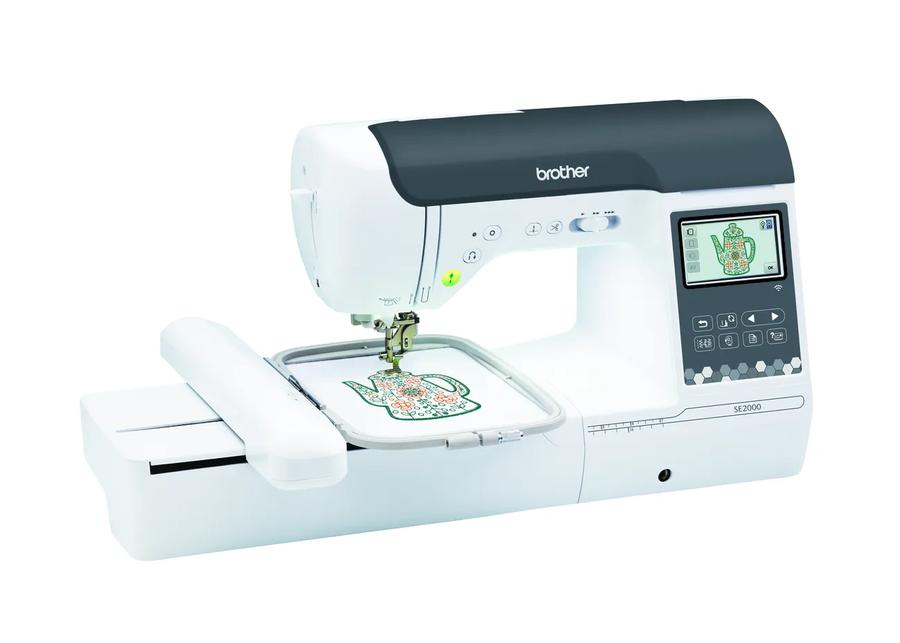
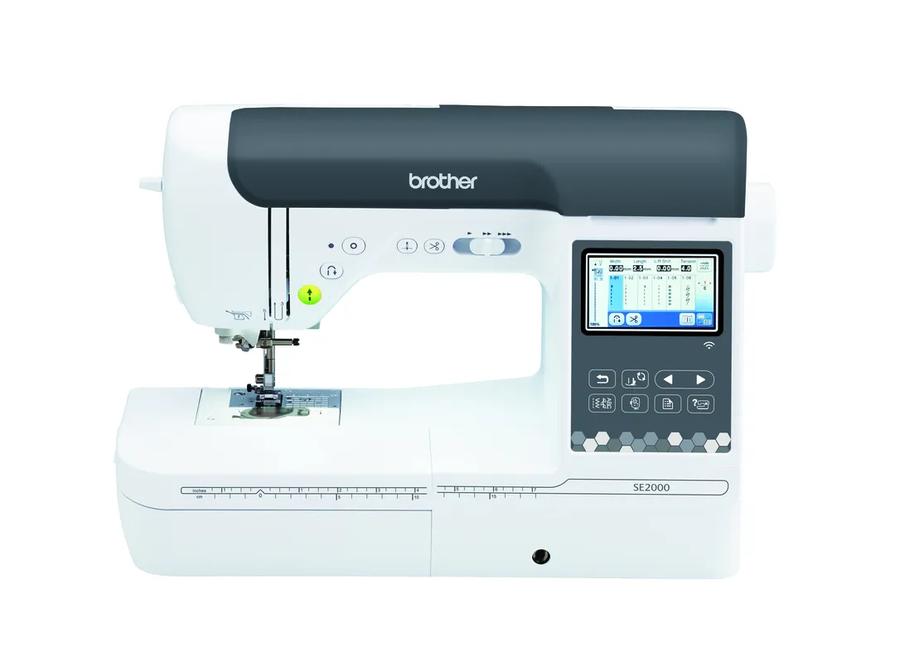
The Brother SE2000 is a computerized sewing machine with a detachable embroidery unit, a 5 x 7 inch embroidery field, and wireless design transfer, for home users who want one machine for sewing and embroidery.
About this machine
- Embroidery area: 5 x 7 in
- 1 needle
- 193 built-in designs
- Connects by USB, Wireless LAN
- Up to 650 stitches per minute
- 13 built-in fonts
- Weighs 20.5 lb
At a Glance
Buy it if
- You want one machine that sews and embroiders designs up to 5 x 7 inches.
- You want the machine to trim jump stitches inside a color for you.
- You want to send designs from a Windows computer or a phone without a USB drive.
- You make single items or small batches, not production runs.
Skip it if
- You already own a sewing machine and want embroidery only.
- You use a Mac only and want to send designs from the computer without a USB drive.
- Your designs are larger than 5 x 7 inches, or you plan to embroider structured caps.
- You make many multicolor items and do not want to change the thread by hand for each color.
What owners say
Owners like
- Automatic jump stitch trimming The machine cuts the jump threads inside a color block. An owner who also owns the older SE1900 calls this the main gain on a 5 x 7 inch machine, because the SE1900 leaves those threads for you to cut. A store reviewer also lists it among the features they use most. Source [6] Source [7]
- Good sewing machine too Owners like the large stitch set, the knee lifter, the drop-in bobbin with a low-bobbin warning, and the automatic thread cutter. One store reviewer has used the machine for about three years, mostly for sewing, and calls it dependable. Source [6] Source [8]
- Easy to learn Several store reviewers bought it as a first embroidery machine and say it was easy to learn. Some name the manual, the on-screen help, and the Brother videos as useful. Source [7] Source [8]
- Wireless design transfer Store reviewers like sending designs to the machine with the Design Database Transfer software or the Artspira app. An owner-reviewer notes that a USB drive still works when the home network is not reliable. Source [8] Source [6]
Owners do not like
- Tight space around the needle Store reviewers say there is little room to change the needle or clean the bobbin area. One says the needle threader gets in the way when you change the needle. Source [7]
- Fragile needle threader An owner-reviewer finds the threader helpful but says it breaks easily. On their machine the threader hook bent in the first year, and they replaced the part themself. Source [6]
- Fussy upper threading Some store reviewers find the upper thread path hard to follow. Two report thread breaks or shredding during embroidery. Source [8] Source [7]
- Basic bobbin winder The bobbin winder has no separate motor, so you stop sewing to wind a bobbin. One store reviewer adds that the winder does not stop when the bobbin is full. Source [6] Source [7]
- Computer transfer is Windows only The Design Database Transfer software runs on Windows only. An owner-reviewer and a store reviewer both say Mac users need another method, such as a USB drive. Source [9] Source [6] Source [7]
Compare with other machines
No machine picked.
Tick one or two machines above to see them next to Brother SE2000.
| Feature | Brother SE2000This machine | Bernette b79Sewing and embroidery | Brother PE535Embroidery only | Brother PE800Embroidery only | Brother PE900Embroidery only | Brother SE1900Sewing and embroidery | Brother SE700Sewing and embroidery | Brother Skitch PP1Embroidery only | Janome Memory Craft 500EEmbroidery only | Poolin EOC06Embroidery only | PooLin EOMMulti-needle | Ricoma EM-1010Multi-needle | Singer SE9180Sewing and embroidery | Smartstitch S-1001Multi-needle |
|---|---|---|---|---|---|---|---|---|---|---|---|---|---|---|
| Rating | 4.7 out of 5 on Target (119 reviews) Source [1] | 5.0 out of 5 on Missouri Star Quilt Company (2 reviews) Source [19] | No rating found | 4.9 out of 5 on Sewing Machines Plus (20 reviews) Source [20] | 4.4 out of 5 on Target (93 reviews) Source [21] | 4.8 out of 5 on Walmart (147 reviews) Source [22] | 4.5 out of 5 on Target (123 reviews) Source [23] | 3.0 out of 5 on Brother USA store (77 reviews) Source [24] | 4.5 out of 5 on Sewing Parts Online (500E Limited Edition listing) (13 reviews) Source [25] | No rating found | Store rating: 5.0 out of 5 on Trustpilot (PooLin store) (518 reviews) Source [26] | No rating found | 4.3 out of 5 on Singer.com (95 reviews) Source [27] | No rating found |
| Needles | 1 | 1 | 1 | 1 | 1 | 1 | 1 | 1 | 1 | 1 | 15 | 10 | 1 | 10 |
| Max embroidery area | 5 x 7 in | 10.2 x 6.3 in | 4 x 4 in | 5 x 7 in | 5 x 7 in | 5 x 7 in | 4 x 4 in | 4 x 4 in | 7.9 x 11 in | 7.9 x 11 in | 14 x 9.5 in | 12.2 x 8.3 in | 6.7 x 3.9 in | 9.5 x 14.2 in |
| Hoops included | 5 x 7 in | 6.3 x 10.2 in (Large, 160 x 260 mm), 4.7 x 7.1 in (Medium, 120 x 180 mm), 2 x 2.8 in (Small, 50 x 70 mm) | 4 x 4 in | 5 x 7 in | 5 x 7 in | 5 x 7 in | 4 x 4 in | 4 x 4 in magnetic frame | 7.9 x 11 in (RE28b), 7.9 x 7.9 in (SQ20b), 5.5 x 7.9 in (RE20b), 5.5 x 5.5 in (SQ14b) | 7.9 x 11 in, 7.9 x 7.9 in, 5.5 x 5.5 in (2) | 14 x 7.9 in, 12 x 7.9 in, 7 x 5 in, 4 x 4 in, 2.4 x 1.6 in, 2 cap hoops | 2.7 x 1.9 in, 4.3 x 4.3 in, 7.5 x 5.5 in, 12.2 x 8.2 in, 2 cap rings with cap driver | 170 x 100 mm (about 6.7 x 3.9 in) | Not published by the maker |
| Cap embroidery | Not published by the maker | Not published by the maker | Not published by the maker | Not published by the maker | No | Not published by the maker | Not published by the maker | No | Optional extra | Not published by the maker | Included | Included | Not published by the maker | Included |
| Built-in designs | 193 | 208 | 80 | 138 | 193 | 138 | 135 | Not published by the maker | 160 | 200 | 62 | Not published by the maker | 150 | Not published by the maker |
| Built-in fonts | 13 | 7 | 9 | 11 | 13 | 11 | 10 | Not published by the maker | 6 | 8 | Not published by the maker | Not published by the maker | 10 | 28 |
| Sewing stitches | 241 | 500 | Not published by the maker | Not published by the maker | Not published by the maker | 240 | 103 | Not published by the maker | Not published by the maker | Not published by the maker | Not published by the maker | Not published by the maker | 250 | Not published by the maker |
| Max embroidery speed | 650 stitches per minute | 850 stitches per minute | Not published by the maker | Not published by the maker | 650 stitches per minute | Not published by the maker | 400 stitches per minute | 400 stitches per minute | 860 stitches per minute | 860 stitches per minute | 1,000 stitches per minute | 1,000 stitches per minute | 450 stitches per minute | 1,200 stitches per minute |
| Display | 3.7 in color LCD touchscreen | 5 in color touchscreen | 3.2 in color LCD touchscreen | 3.2 in color LCD touchscreen | 3.7 in LCD touchscreen | 3 x 1.6 in color LCD touchscreen | 3.2 x 1.8 in color LCD touchscreen | Not published by the maker | LCD full color touchscreen | 7 in HD touchscreen | 9 in LCD touchscreen | 10.1 in color touchscreen | 7 in color touchscreen | 7 in touchscreen |
| Connectivity | USB, Wireless LAN | USB | USB | USB | USB, Wireless LAN | USB | USB, Wireless LAN | Bluetooth | USB, PC port (cable) | USB, Wi-Fi | USB, Wi-Fi | USB, Ethernet | USB, Wi-Fi (2.4 GHz) | USB, Wi-Fi |
| File formats | PES, PHC, DST, PEN | EXP, PES, DST, PEC, JEF, VP3, VIP, HUS, ZHS | PES, PHC, DST | PES, DST, PHC, PEN | PES, DST, PHC, PEN | PES, PHC, DST | PES, PHC, DST, PEN | PES, PHC, PHX, DST | JEF | DST, DSB | DST, DSB | DST | VP3 | DST, DSB |
| Automatic needle threader | Yes | Yes | Yes | Yes | Yes | Yes | Yes | Yes | Yes | Yes | Not published by the maker | Not published by the maker | Yes | Not published by the maker |
| Automatic thread cutter | Yes | Yes | Not published by the maker | Yes | Yes | Yes | Yes | Yes | Yes | Yes | Yes | Yes | Yes | Yes |
| Size (width x depth x height) | 17.56 x 9.5 x 11.81 in | 27.95 x 18.7 x 12.4 in | Not published by the maker | Not published by the maker | Not published by the maker | Not published by the maker | 16.5 x 7.76 x 12.09 in | 17.2 x 9 x 12.5 in | 23 x 17.7 x 12.9 in | 27 x 23 x 12.5 in | 23.6 x 28.3 x 31.9 in | 23.6 x 22 x 34.1 in | 19 x 8 x 12 in | 18.9 x 25.9 x 59.8 in |
| Weight | 20.5 lb | 20.59 lb | 14.33 lb | 17.64 lb | 17.64 lb | Not published by the maker | 15.06 lb | 17 lb | 25.2 lb | 29.8 lb | 176 lb | 99 lb | 15.5 lb | 92.4 lb |
| Warranty | 25 year limited warranty | Not published by the maker | 1/2/25 year limited warranty | 1/2/25 year limited warranty | 1/2/25 year limited warranty | 25 year limited warranty | 1/2/25 year limited warranty | 1/2/25 year limited warranty | Not published by the maker | 1 year from PooLin. Consumables are not covered. | 1 year from Poolin. Consumables are not covered. | 1 year with the Core bundle. The 5 year premium option covers non-consumable parts and labor for 1 year, electronics for 3 years, and main drive parts for 5 years. Needles and fuses are not covered. | Singer lists 90 day / 2 year / 25 year limited warranty coverage on the product page. The warranty document linked from the same page shows 25 years on the frame and 1 year on parts, for household use only. | 1 year limited warranty on parts and labor for the original purchaser. Standard accessories have 90 days. Shipping costs and technician travel are not covered. |
| Owners like |
|
|
|
|
|
|
|
|
|
|
|
|
|
|
| Owners do not like |
|
|
|
|
|
|
|
|
|
|
|
|
|
|
| Buy | See it on Amazon | See it on Amazon | See it on Amazon | See it on Amazon | See it on Amazon | See it on Amazon | See it on Amazon | See it on Amazon | See it on Amazon | See it on Amazon | See it on Amazon | See it on Amazon | See it on Amazon | See it on Amazon |
All rows have the same values for these machines.
Product information
| Needles | 1 |
|---|---|
| Max embroidery area | 5 x 7 in |
| Hoops included | 5 x 7 in |
| Cap embroidery | Not published by the maker |
| Built-in designs | 193 |
| Built-in fonts | 13 |
| Sewing stitches | 241 |
| Max embroidery speed | 650 stitches per minute |
| Display | 3.7 in color LCD touchscreen |
| Connectivity | USB, Wireless LAN |
| File formats | PES, PHC, DST, PEN |
| Automatic needle threader | Yes |
| Automatic thread cutter | Yes |
| Size (width x depth x height) | 17.56 x 9.5 x 11.81 in |
| Weight | 20.5 lb |
| Warranty | 25 year limited warranty |
Specs from the maker and other pages: Source [2] Source [3] Source [4] Source [5]
What else you need
These items are not in the box of the Brother SE2000.
- Embroidery stabilizerStabilizer is not in the box. Brother says to attach stabilizer to the fabric for embroidery, to prevent puckers and thread breaks.See it on Amazon
- Embroidery thread in colors (40 weight)The box contains white bobbin thread only. Brother says to use embroidery thread for the upper thread.See it on Amazon
- Ball point embroidery needles (75/11)Brother recommends a 75/11 ball point needle for embroidery. Replace the needle when it is bent or dull.See it on Amazon
- USB flash driveBrother says a USB drive is necessary to update the machine firmware, and it is not in the box. It is also the transfer method for Mac users and when the wireless connection fails.See it on Amazon
- Extra Class 15 bobbinsThe box has 4 bobbins. Brother says to use SA156 or the same Class 15 type, because other bobbins can cause thread breaks.See it on Amazon
We earn a commission if you buy through our Amazon links.
Videos
Easiest Embroidery Machine for Beginners 🤯 Brother SE2000 Even Threads Itself!
Silhouette School with Melissa Viscount Source [16]
See it on AmazonUnboxing My New Brother Sewing Machine & Honest Review! The Best Sewing Machine? SE2000
Handmade by Karly Source [17]
See it on AmazonHow to Set Up Brother SE2000 t WIFI (Wireless Network Setup)
Silhouette School with Melissa Viscount Source [18]
See it on Amazon
More details
Known problems and fixes
- The machine does not connect to the wireless network.
Fix: Use a 2.4 GHz network. The machine does not support the 5 GHz band or WPA/WPA2 Enterprise security. If the connection still fails, move designs with a USB flash drive. Source [3] Source [8]
- A design sent from the Artspira app does not show on the machine.
Fix: Select the correct machine model in the app and send the design again. Get the design on the machine soon, because the server deletes it after a time. Update the machine software to the latest version. Source [10] Source [6]
- The needle threader hook bends and does not go through the needle eye.
Fix: Brother says to contact an authorized dealer. An owner bought the replacement part and installed it themself. Do not use the threader with a 65/9 needle; thread that size by hand. Source [11] Source [6]
- The upper thread breaks or shreds during embroidery.
Fix: Thread the machine again with the correct spool cap. For embroidery, use a 75/11 ball point needle, embroidery thread, embroidery bobbin thread, and stabilizer. Replace a bent or dull needle, and use SA156 (Class 15) bobbins. Source [12] Source [8]
In the box
- Zigzag foot J (on the machine)
- Monogramming foot N
- Overcasting foot G
- Zipper foot I
- Blind stitch foot R
- Button fitting foot M
- Buttonhole foot A
- Embroidery foot Q
- Needle set
- Twin needle
- 4 bobbins (one on the machine)
- Seam ripper
- Scissors
- Cleaning brush
- Eyelet punch
- Screwdrivers (large, small, disc-shaped)
- Bobbin center pin and instruction sheet
- Horizontal spool pin
- Spool caps (large, 2 medium, small)
- Thread spool insert (mini king thread spool)
- Spool net
- Knee lifter
- Standard bobbin case (on the machine)
- Alternate bobbin case
- Foot controller
- 5 x 7 in embroidery frame set
- Embroidery bobbin thread (60 weight, white)
- Accessory bag
- Grid sheet set
- Operation manual
- Quick reference guide
- Embroidery design guide
What changed from Brother SE1900
- Adds wireless LAN design transfer. The SE1900 uses a USB drive only.
- Works with the Brother Artspira app.
- Trims jump stitches automatically. The SE1900 does not.
- Adds the Color Sort function.
- 193 built-in designs, compared with 138.
- 13 embroidery fonts, compared with 11.
- 241 sewing stitches, compared with 240.
- 3.7 inch screen, compared with a 3 x 1.6 inch screen.
- The embroidery field (5 x 7 inches) and the hoops are the same.
Read our guide to the Brother SE1900. Source [6] Source [2] Source [13]
Questions buyers ask
- Does the Brother SE2000 cut jump stitches?
Yes. The Jump Stitch Trimming function cuts the jump threads inside a color. You can set a minimum length, so that the machine does not trim short jumps. Source [2] Source [3]
- What is the difference between the SE2000 and the SE1900?
The SE2000 adds wireless transfer, the Artspira app, automatic jump stitch trimming, and more built-in designs and fonts. Both have a 5 x 7 inch field and use the same hoops. Source [6] Source [13]
- Should I buy the SE2000 or the PE900?
An owner who has both models says the embroidery features are the same. The SE2000 also sews. If you already own a sewing machine, the owner says the PE900 is the better way to save money. Source [6]
- What is the difference between the SE2000 and the SE700?
The SE2000 has a 5 x 7 inch field and embroiders at up to 650 stitches per minute. The SE700 has a 4 x 4 inch field and a maximum of 400 stitches per minute. Both have wireless transfer. Source [3] Source [14]
- What hoop sizes work with the SE2000?
The box has a 5 x 7 inch frame. Brother sells a 4 x 4 inch frame, a 1 x 2.5 inch frame, a 4 x 7 inch magnetic frame, and a multi-position frame that covers 5 x 12 inches in three positions. Source [3] Source [2]
Alternatives
- Brother SE1900The older model with the same 5 x 7 inch field, but with USB transfer only and no jump stitch trimming. Brother lists it as discontinued.See details for Brother SE1900
- Brother PE900An embroidery-only machine with the same 5 x 7 inch field and the same embroidery features, for buyers who already own a sewing machine.See details for Brother PE900
- Brother SE700A lower-cost sewing and embroidery machine with a smaller 4 x 4 inch field and wireless transfer.See details for Brother SE700
- Singer SE9180A sewing and embroidery machine from another brand that buyers often compare with the SE2000.See details for Singer SE9180