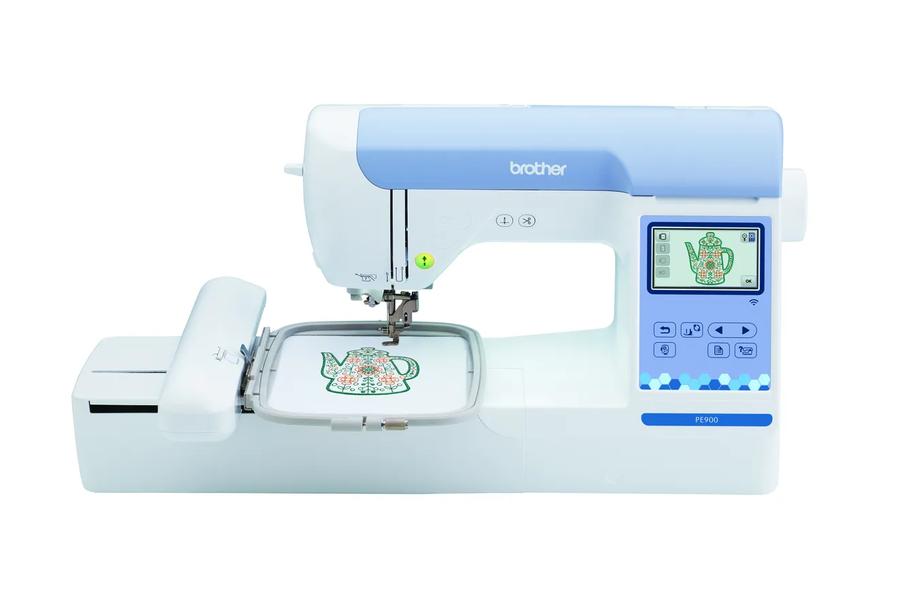
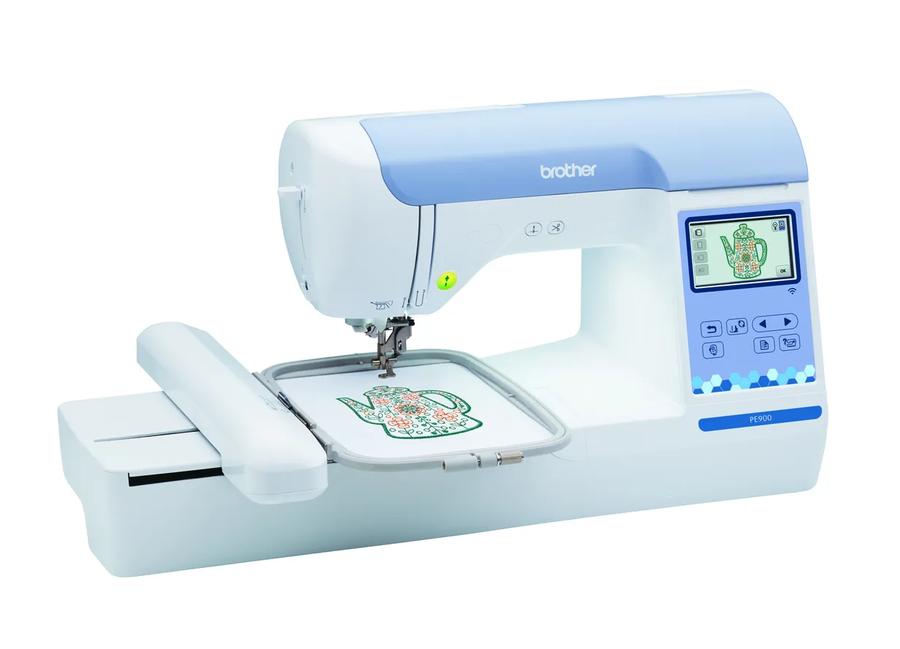
Brother PE900
The Brother PE900 is a single-needle, embroidery-only machine with a 5 x 7 inch field and wireless design transfer, for home users who do not need a sewing function.
About this machine
- Embroidery area: 5 x 7 in
- 1 needle
- 193 built-in designs
- Connects by USB, Wireless LAN
- Cap embroidery: No
- Up to 650 stitches per minute
- 13 built-in fonts
At a Glance
Buy it if
- You want a 5 x 7 inch embroidery field and already own a sewing machine.
- You want to send designs from a computer or phone without a USB drive.
- You make single items or small batches, not production runs.
Skip it if
- You need one machine that sews and embroiders.
- You plan to embroider structured caps or designs larger than 5 x 7 inches.
- You make many multicolor items and do not want to change the thread by hand for each color.
What owners say
Owners like
- 5 x 7 inch field An owner-reviewer says the field is large enough for logos, monograms, and baby clothes. A second write-up calls 5 x 7 the starting size for logos and large monograms. Source [5] Source [6]
- Automatic jump stitch trimming The machine cuts the jump threads inside a color block. An owner-reviewer says this decreases the cleanup time after a stitch-out. The older PE800 does not do this. Source [5] Source [7]
- Wireless design transfer Reviewers like that designs go from a phone or a computer to the machine without a USB drive. Source [5] Source [8]
- Clear screen and placement preview An owner-reviewer calls the touchscreen bright and clear. The trace function shows where the design will stitch in the hoop before the start. Source [5] Source [6]
Owners do not like
- Manual thread changes The machine has one needle. The user must change the thread for each color, and this makes multicolor designs slow. Source [5] Source [9]
- Limits of the free app The free level of the Artspira app does not import design files from other sources. The app sends one design at a time, and its drawing tool makes line-art designs only. Source [10] Source [11]
- Basic tools, no supplies Stabilizer and colored embroidery thread are not in the box. One write-up calls the supplied scissors and needles basic and recommends replacements. Source [5] Source [6]
- Stretchy fabric is hard to hoop An owner-reviewer says the standard hoop is difficult to use with very stretchy fabric if the fabric is not held well. Source [5]
Compare with other machines
No machine picked.
Tick one or two machines above to see them next to Brother PE900.
| Feature | Brother PE900This machine | Bernette b79Sewing and embroidery | Brother PE535Embroidery only | Brother PE800Embroidery only | Brother SE1900Sewing and embroidery | Brother SE2000Sewing and embroidery | Brother SE700Sewing and embroidery | Brother Skitch PP1Embroidery only | Janome Memory Craft 500EEmbroidery only | Poolin EOC06Embroidery only | PooLin EOMMulti-needle | Ricoma EM-1010Multi-needle | Singer SE9180Sewing and embroidery | Smartstitch S-1001Multi-needle |
|---|---|---|---|---|---|---|---|---|---|---|---|---|---|---|
| Rating | 4.4 out of 5 on Target (93 reviews) Source [1] | 5.0 out of 5 on Missouri Star Quilt Company (2 reviews) Source [18] | No rating found | 4.9 out of 5 on Sewing Machines Plus (20 reviews) Source [19] | 4.8 out of 5 on Walmart (147 reviews) Source [20] | 4.7 out of 5 on Target (119 reviews) Source [21] | 4.5 out of 5 on Target (123 reviews) Source [22] | 3.0 out of 5 on Brother USA store (77 reviews) Source [23] | 4.5 out of 5 on Sewing Parts Online (500E Limited Edition listing) (13 reviews) Source [24] | No rating found | Store rating: 5.0 out of 5 on Trustpilot (PooLin store) (518 reviews) Source [25] | No rating found | 4.3 out of 5 on Singer.com (95 reviews) Source [26] | No rating found |
| Needles | 1 | 1 | 1 | 1 | 1 | 1 | 1 | 1 | 1 | 1 | 15 | 10 | 1 | 10 |
| Max embroidery area | 5 x 7 in | 10.2 x 6.3 in | 4 x 4 in | 5 x 7 in | 5 x 7 in | 5 x 7 in | 4 x 4 in | 4 x 4 in | 7.9 x 11 in | 7.9 x 11 in | 14 x 9.5 in | 12.2 x 8.3 in | 6.7 x 3.9 in | 9.5 x 14.2 in |
| Hoops included | 5 x 7 in | 6.3 x 10.2 in (Large, 160 x 260 mm), 4.7 x 7.1 in (Medium, 120 x 180 mm), 2 x 2.8 in (Small, 50 x 70 mm) | 4 x 4 in | 5 x 7 in | 5 x 7 in | 5 x 7 in | 4 x 4 in | 4 x 4 in magnetic frame | 7.9 x 11 in (RE28b), 7.9 x 7.9 in (SQ20b), 5.5 x 7.9 in (RE20b), 5.5 x 5.5 in (SQ14b) | 7.9 x 11 in, 7.9 x 7.9 in, 5.5 x 5.5 in (2) | 14 x 7.9 in, 12 x 7.9 in, 7 x 5 in, 4 x 4 in, 2.4 x 1.6 in, 2 cap hoops | 2.7 x 1.9 in, 4.3 x 4.3 in, 7.5 x 5.5 in, 12.2 x 8.2 in, 2 cap rings with cap driver | 170 x 100 mm (about 6.7 x 3.9 in) | Not published by the maker |
| Cap embroidery | No | Not published by the maker | Not published by the maker | Not published by the maker | Not published by the maker | Not published by the maker | Not published by the maker | No | Optional extra | Not published by the maker | Included | Included | Not published by the maker | Included |
| Built-in designs | 193 | 208 | 80 | 138 | 138 | 193 | 135 | Not published by the maker | 160 | 200 | 62 | Not published by the maker | 150 | Not published by the maker |
| Built-in fonts | 13 | 7 | 9 | 11 | 11 | 13 | 10 | Not published by the maker | 6 | 8 | Not published by the maker | Not published by the maker | 10 | 28 |
| Sewing stitches | Not published by the maker | 500 | Not published by the maker | Not published by the maker | 240 | 241 | 103 | Not published by the maker | Not published by the maker | Not published by the maker | Not published by the maker | Not published by the maker | 250 | Not published by the maker |
| Max embroidery speed | 650 stitches per minute | 850 stitches per minute | Not published by the maker | Not published by the maker | Not published by the maker | 650 stitches per minute | 400 stitches per minute | 400 stitches per minute | 860 stitches per minute | 860 stitches per minute | 1,000 stitches per minute | 1,000 stitches per minute | 450 stitches per minute | 1,200 stitches per minute |
| Display | 3.7 in LCD touchscreen | 5 in color touchscreen | 3.2 in color LCD touchscreen | 3.2 in color LCD touchscreen | 3 x 1.6 in color LCD touchscreen | 3.7 in color LCD touchscreen | 3.2 x 1.8 in color LCD touchscreen | Not published by the maker | LCD full color touchscreen | 7 in HD touchscreen | 9 in LCD touchscreen | 10.1 in color touchscreen | 7 in color touchscreen | 7 in touchscreen |
| Connectivity | USB, Wireless LAN | USB | USB | USB | USB | USB, Wireless LAN | USB, Wireless LAN | Bluetooth | USB, PC port (cable) | USB, Wi-Fi | USB, Wi-Fi | USB, Ethernet | USB, Wi-Fi (2.4 GHz) | USB, Wi-Fi |
| File formats | PES, DST, PHC, PEN | EXP, PES, DST, PEC, JEF, VP3, VIP, HUS, ZHS | PES, PHC, DST | PES, DST, PHC, PEN | PES, PHC, DST | PES, PHC, DST, PEN | PES, PHC, DST, PEN | PES, PHC, PHX, DST | JEF | DST, DSB | DST, DSB | DST | VP3 | DST, DSB |
| Automatic needle threader | Yes | Yes | Yes | Yes | Yes | Yes | Yes | Yes | Yes | Yes | Not published by the maker | Not published by the maker | Yes | Not published by the maker |
| Automatic thread cutter | Yes | Yes | Not published by the maker | Yes | Yes | Yes | Yes | Yes | Yes | Yes | Yes | Yes | Yes | Yes |
| Size (width x depth x height) | Not published by the maker | 27.95 x 18.7 x 12.4 in | Not published by the maker | Not published by the maker | Not published by the maker | 17.56 x 9.5 x 11.81 in | 16.5 x 7.76 x 12.09 in | 17.2 x 9 x 12.5 in | 23 x 17.7 x 12.9 in | 27 x 23 x 12.5 in | 23.6 x 28.3 x 31.9 in | 23.6 x 22 x 34.1 in | 19 x 8 x 12 in | 18.9 x 25.9 x 59.8 in |
| Weight | 17.64 lb | 20.59 lb | 14.33 lb | 17.64 lb | Not published by the maker | 20.5 lb | 15.06 lb | 17 lb | 25.2 lb | 29.8 lb | 176 lb | 99 lb | 15.5 lb | 92.4 lb |
| Warranty | 1/2/25 year limited warranty | Not published by the maker | 1/2/25 year limited warranty | 1/2/25 year limited warranty | 25 year limited warranty | 25 year limited warranty | 1/2/25 year limited warranty | 1/2/25 year limited warranty | Not published by the maker | 1 year from PooLin. Consumables are not covered. | 1 year from Poolin. Consumables are not covered. | 1 year with the Core bundle. The 5 year premium option covers non-consumable parts and labor for 1 year, electronics for 3 years, and main drive parts for 5 years. Needles and fuses are not covered. | Singer lists 90 day / 2 year / 25 year limited warranty coverage on the product page. The warranty document linked from the same page shows 25 years on the frame and 1 year on parts, for household use only. | 1 year limited warranty on parts and labor for the original purchaser. Standard accessories have 90 days. Shipping costs and technician travel are not covered. |
| Owners like |
|
|
|
|
|
|
|
|
|
|
|
|
|
|
| Owners do not like |
|
|
|
|
|
|
|
|
|
|
|
|
|
|
| Buy | See it on Amazon | See it on Amazon | See it on Amazon | See it on Amazon | See it on Amazon | See it on Amazon | See it on Amazon | See it on Amazon | See it on Amazon | See it on Amazon | See it on Amazon | See it on Amazon | See it on Amazon | See it on Amazon |
All rows have the same values for these machines.
Product information
| Needles | 1 |
|---|---|
| Max embroidery area | 5 x 7 in |
| Hoops included | 5 x 7 in |
| Cap embroidery | No |
| Built-in designs | 193 |
| Built-in fonts | 13 |
| Sewing stitches | Not published by the maker |
| Max embroidery speed | 650 stitches per minute |
| Display | 3.7 in LCD touchscreen |
| Connectivity | USB, Wireless LAN |
| File formats | PES, DST, PHC, PEN |
| Automatic needle threader | Yes |
| Automatic thread cutter | Yes |
| Size (width x depth x height) | Not published by the maker |
| Weight | 17.64 lb |
| Warranty | 1/2/25 year limited warranty |
Specs from the maker and other pages: Source [2] Source [3] Source [4]
What else you need
These items are not in the box of the Brother PE900.
- Stabilizer (cut-away and tear-away)Stabilizer is not in the box. Reviewers recommend cut-away for stretchy fabric and tear-away for towels and firm woven fabric.See it on Amazon
- Embroidery thread in colors (40 weight)The box contains white bobbin thread only. It contains no colored top thread.See it on Amazon
- Curved embroidery snipsReviewers recommend them for close thread trimming. One write-up calls the supplied scissors basic.See it on Amazon
- Spare embroidery needles (75/11)Reviewers recommend that you replace the needle early, before it breaks or causes thread breaks.See it on Amazon
- USB flash driveA USB drive is the other transfer method when the wireless transfer fails. It is not in the maker's accessory list.See it on Amazon
We earn a commission if you buy through our Amazon links.
Videos
Brother PE900 Tour & Review
Creazioni Cicerone Source [15]
See it on AmazonBrother PE900 Embroidery Machine Unboxing Setup and First Stitch out! PE800 vs PE900 Difference
Ashley Aycoth Source [16]
See it on AmazonBrother PE900 Embroidery Machine: What They DON'T Tell You!
ZDIGITIZING Source [17]
See it on Amazon
More details
Known problems and fixes
- Thread collects in a nest below the fabric at the start of a design.
Fix: Cut the bobbin thread tail short before the start. Thread the upper thread again so that it sits in the tension discs. Use an evenly wound bobbin, and monitor the first two minutes. Source [5] Source [6]
- The wireless connection or the design transfer fails, although the signal is strong.
Fix: Keep the machine on while the computer starts again. During setup, put the machine approximately 1 m from the router and make sure that MAC address filtering does not block it. Keep the machine software and the app up to date. If transfer continues to fail, use a USB flash drive. Source [10] Source [12]
- Designs on a USB flash drive do not show on the machine.
Fix: Save the design files in the root directory of the USB drive, not in a folder. Make sure that each design fits in the 7 x 5 inch field. Source [3]
- The fabric puckers or shows hoop marks after a stitch-out.
Fix: Hoop the fabric tight but not stretched. Use a stabilizer that agrees with the fabric. For delicate fabric, hoop the stabilizer only and put the fabric on top of it. Source [5] Source [6] Source [9]
In the box
- Embroidery foot Q (on the machine)
- 5 x 7 in embroidery frame set
- Needle set
- 4 bobbins (one on the machine)
- Bobbin case (on the machine)
- Embroidery bobbin thread (90 weight, white)
- Spool caps (large, medium, small)
- Thread spool insert (mini king thread spool)
- Spool net
- Bobbin center pin and instruction sheet
- Seam ripper
- Scissors
- Cleaning brush
- Screwdrivers (large, small, disc-shaped)
- Accessory bag
- Dust cover
- Operation manual
- Quick reference guide
- Embroidery design guide
What changed from Brother PE800
- Adds wireless LAN design transfer. The PE800 uses USB transfer only.
- Works with the Brother Artspira app.
- Trims jump stitches automatically. The PE800 does not.
- Adds the Color Sort function.
- 193 built-in designs, compared with 138.
- 13 built-in fonts, compared with 11.
- 3.7 inch screen, compared with 3.2 inch.
- The embroidery area (5 x 7 inches) and the maximum speed (650 stitches per minute) are the same.
Read our guide to the Brother PE800. Source [11] Source [7]
Questions buyers ask
- Which design file formats can the PE900 read?
Brother lists PES, DST, PHC, and PEN (from iBroidery) files. Each design must fit in the 7 x 5 inch field. Source [3]
- How do I adjust the thread tension for embroidery?
First make sure that the upper thread and the bobbin are installed correctly. Then use the tension key on the screen to change the tension for one pattern, or the Embroidery Tension setting for all patterns. With correct tension, the upper thread shows a small quantity on the back of the fabric. Source [13]
- What supplies do I need to buy with the machine?
Buy stabilizer for your fabric, embroidery thread in colors, embroidery bobbin thread, and curved snips. The box contains one 5 x 7 inch hoop and white bobbin thread. Source [5] Source [6]
- Can I send my own design files to the machine with the free Artspira app?
No. One guide says that import of external files needs the paid Artspira+ level. Without it, send your own files from a PC with the free Design Database Transfer software, or use a USB flash drive. Source [10] Source [2]
Alternatives
- Brother SE2000A 5 x 7 inch sewing and embroidery machine with wireless transfer, for buyers who also sew.See details for Brother SE2000
- Brother SE700A sewing and embroidery machine with a smaller 4 x 4 inch field, for buyers who also sew and make small designs.See details for Brother SE700
- Janome Memory Craft 500EAn embroidery-only machine with a larger 7.9 x 11 inch field.See details for Janome Memory Craft 500E
Guides and tools
Guides
- Embroidery machine thread keeps breaking: causes and fixes
- Hat embroidery on a single needle machine: what works
- Machine embroidery supplies for beginners: what to buy first
- PES vs DST embroidery files: what each format stores
- Single needle vs multi needle embroidery machines
- What stabilizer to use for machine embroidery